Downloads
Every file the analysis produced. Click a file name to download it, or Download all (.zip) for the whole set.
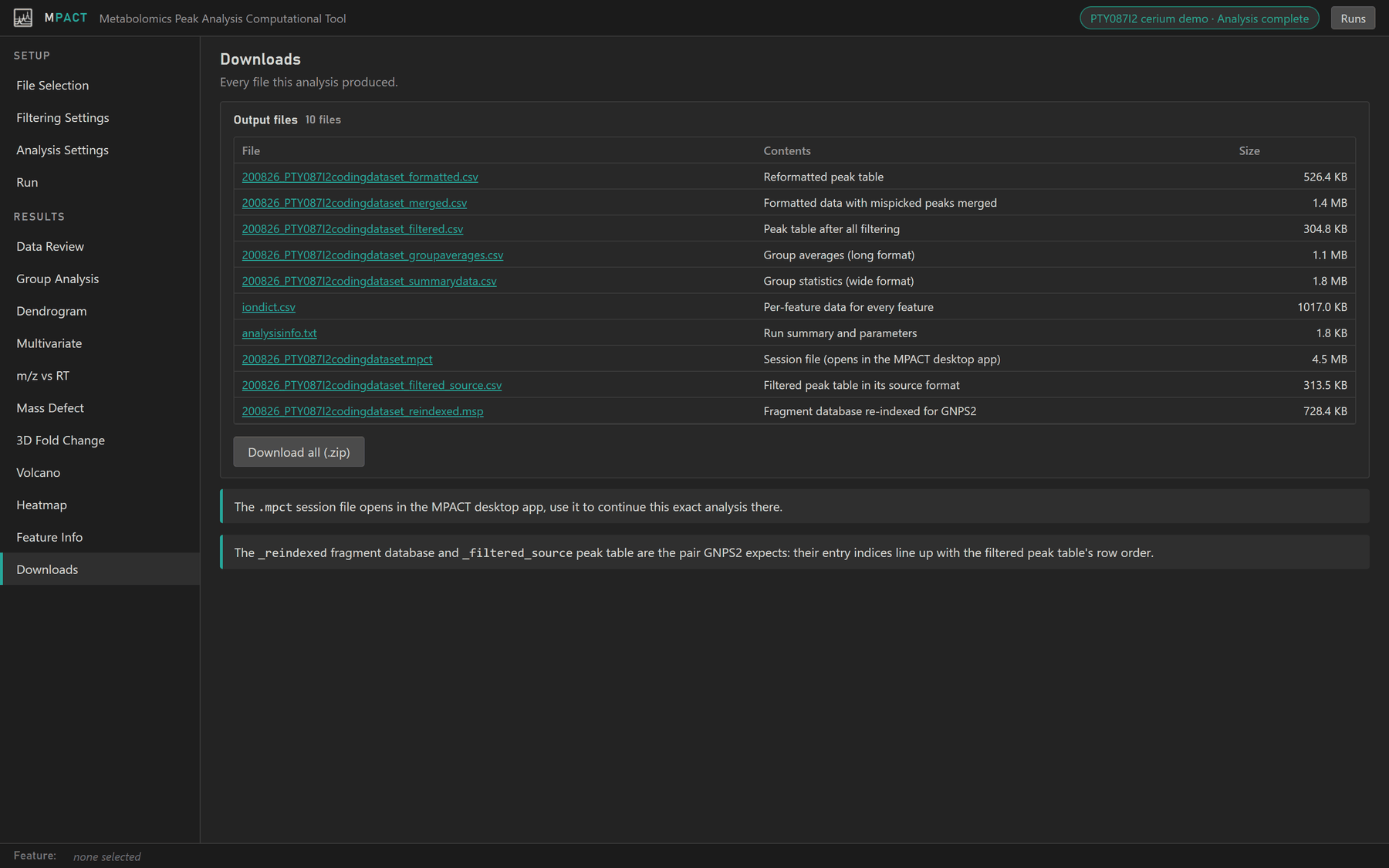
Output files
Most files are named after the peak table (<name> below) and are indexed by
feature ID, m/z and retention time.
| File | Contents |
|---|---|
<name>_formatted.csv |
The peak table converted to MPACT's internal layout |
<name>_merged.csv |
The formatted table with mispicked peaks merged into their parents (when Merge Peaks is on) |
<name>_filtered.csv |
The table after every filter |
<name>_groupaverages.csv |
Average abundance of each feature in each group, in long format |
<name>_summarydata.csv |
Every group statistic in wide format: average abundance per group, biological and technical relative standard deviations and n, the combined uncertainty, and the effective n (Welch-Satterthwaite) |
iondict.csv |
One row per feature, including those removed by filters: m/z, retention time, mass defect, which filters it passed, median CV, groups detected in, maximum abundance, fold change, −log p, −log q and database hit count |
analysisinfo.txt |
Run summary and every parameter, as shown on the Data Review tab |
<name>.mpct |
Session file with the input files and settings |
<name>_filtered_source.csv |
The original peak table, cut down to the features that passed filtering |
<name>_reindexed.msp / .mgf |
The fragment database renumbered to match the filtered peak table |
The re-indexed fragment file is written only when a fragment database was supplied.
Session files
The .mpct file holds the input files and every setting. Open it with
Open session file... on File Selection
to set the same analysis up again, here or on another MPACT server. It also
opens in the MPACT desktop app.
GNPS2 files
GNPS2 feature-based molecular networking needs a peak table and a fragment
file whose entries are in the same order. _filtered_source and _reindexed
are that pair, already matched, so they can be uploaded to GNPS2 as they are.
Peak tables from MZmine, MS-DIAL and Metaboscape are converted to the
Progenesis layout at the start of each run, so for those _filtered_source is in
the Progenesis layout too. Choose Progenesis as the input format in GNPS2.